Written on · 2 min read
I built Nuni to comment on real websites, not screenshots
Nuni adds Figma-style comments to your live site, keeps each pin on the right element after deploys, and hands the full context to your coding agent.
Website feedback usually arrives as a screenshot. A red circle. “This button feels off.” Then someone has to find which button, on which page, at which screen size.
In Figma I just click the thing and comment. I wanted that on the real site.
So I built Nuni.
Comment on the real thing
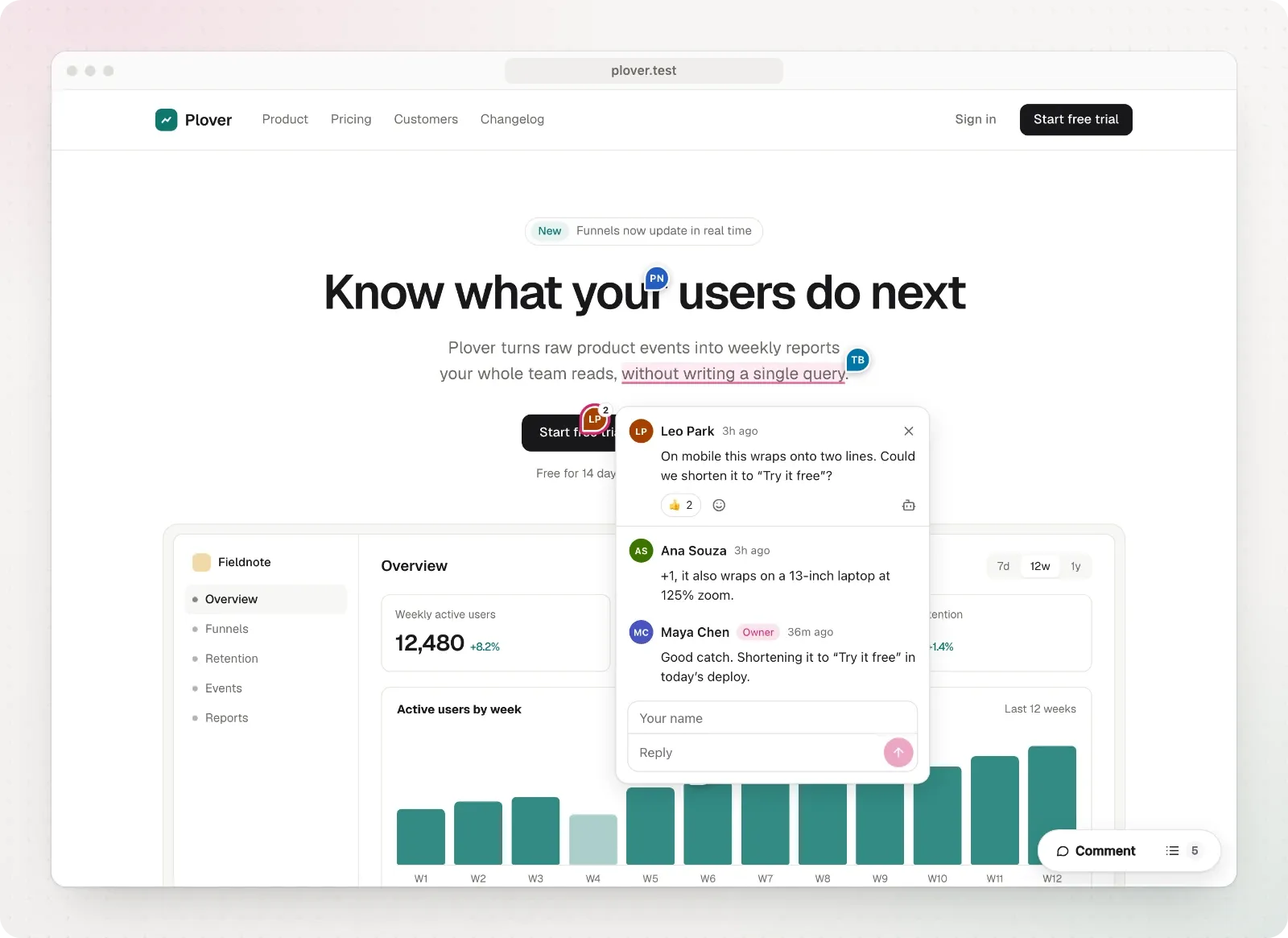
Add Nuni to your site and anyone who can open it can leave a comment. Press C, click anything, write. The pin shows up for everyone, live.
- No accounts for commenters. They type a name and go.
- No API keys. One public project ID in your code.
- Works on localhost, preview URLs, staging and production.
You can also select a few words or drag a box over part of a chart. Replies, reactions, resolve and reopen are all there.
Comments are matched by page path, not domain. A comment left on localhost also shows on the preview deploy and in production.
Pins that stay put
This was the hard part. A comment is only useful if it is still on the right element after the next deploy.
Nuni stores several ways to find the element again: stable ids and test ids, its text, nearby headings, its position, and the React component name. Hashed CSS-module classes and Tailwind utilities are ignored. They change between builds and say nothing about identity.
If nothing matches well enough, Nuni does not guess. The comment goes to a “couldn’t find on this page” list instead. A pin on the wrong element is worse than no pin.
Every change to the pin engine runs a benchmark of real page changes: copy edits, reordered lists, new wrappers, mobile layouts, web components, iframes. CI fails if fewer than 95% of pins land on the right element.
Give your agent the context
A comment carries what a coding agent needs: the page, the element, its markup and styles, console errors, failed requests and a screenshot.
Choose Copy for agent and paste it into Claude Code, Codex or Cursor. Or add the MCP server once:
claude mcp add nuni -- npx -y @nuniapp/cli@latest mcpThen ask it to fix the open Nuni comments. It can read them, reply and resolve them with a note about what changed. The same works from the terminal with npx @nuniapp/cli@latest comments.
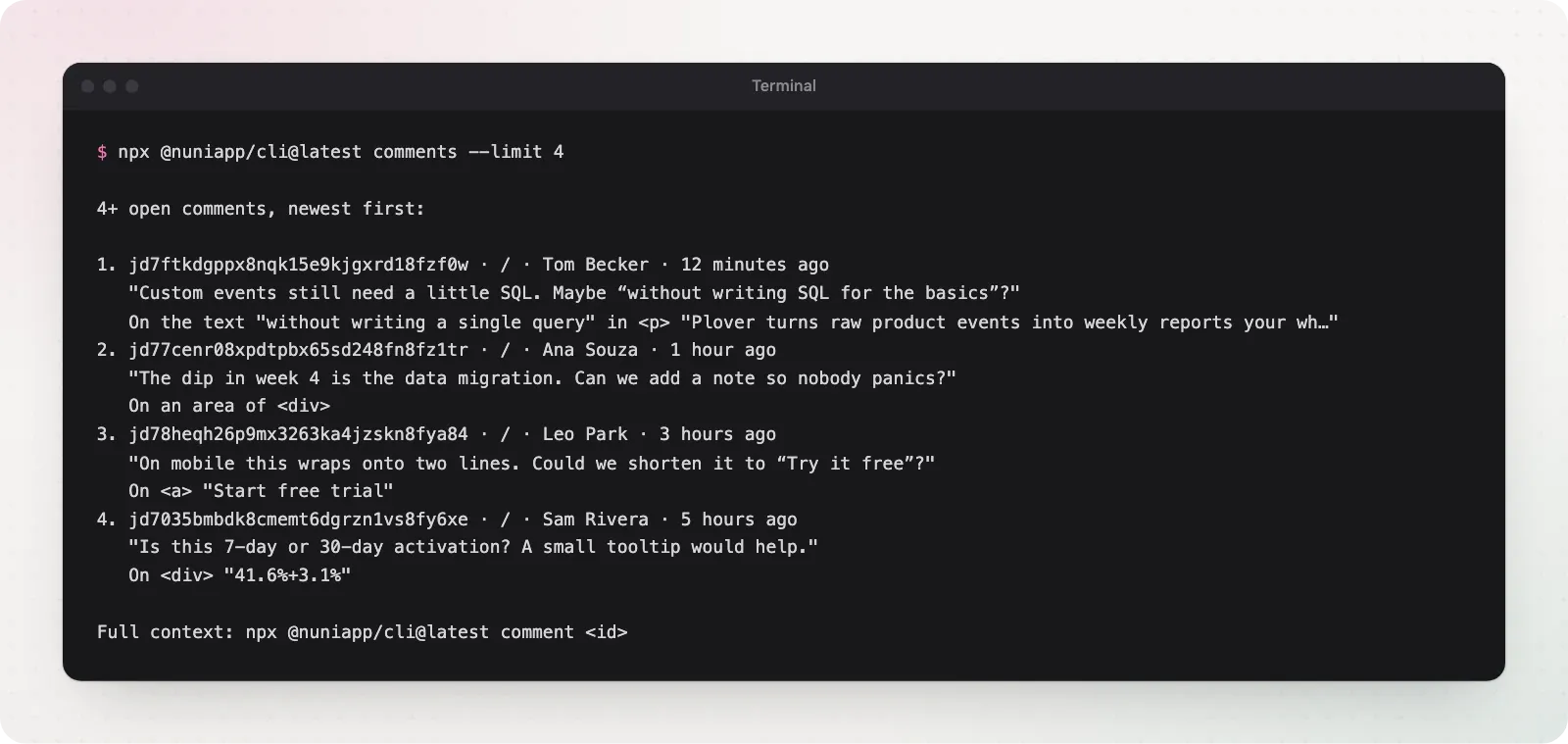
Comment, exact UI context, agent, fix. That’s the loop I wanted.
Try it
Run this in your project:
npx @nuniapp/cli@latest initIt detects your framework and prints the snippet to add. Or copy the prompt from nuni.praveenjuge.com and let your agent do it. Then open the panel, choose Claim Nuni and sign in with GitHub to own the comments.
It’s open source on GitHub. If you also live in Figma, Niram turns a shadcn preset into Figma variables and components.
Add it to something you’re building and tell me where the pins break.